17TRACK Package Tracker
- 4.0
- Rating
- 10.00M
- Installs
- Free
- Price

 Analysis by App-foxy
I use 17TRACK Package Tracker when my deliveries come from several stores and I do not want to jump between separate carrier pages. It is a shopping app built around one practical task: bringing package tracking into one place, whether an order started with Amazon, AliExpress, eBay, or another supported service. That sounds simple, but it becomes genuinely useful when a week includes several parcels with different shipping companies and different tracking habits.
My overall impression is positive, with an important qualification: this is a tracking companion, not a replacement for the shop where I bought something and not a guarantee that every shipping event will appear instantly. When the carrier information is available, the app makes following an order much less tedious. When a carrier is slow to update or a parcel has an unusual route, the app can only show the information it receives. That distinction matters before you make it your only source of delivery information.
How I use the app from the first tracking number to delivery
The basic workflow is easy to understand. I open the app, add a tracking number, and let it identify the shipment when possible. From there, the parcel gets its own tracking view instead of remaining buried in an email, a shop account, or a copied note. For a person who orders from multiple marketplaces, that central list is the main reason to install it.
You May Also Like

 AccuWeather: Weather Radar
AccuWeather Review: A Quick, Clear Forecast for Everyday Decisions
For everyday plans, the best forecast is the one you can understand quickly. AccuWeather makes rain timing, radar, and local conditions easy to act on, with a few trade-offs.

 Hill Climb Racing
Why Hill Climb Racing Still Turns Crashes Into One More Run
A tiny car, a bumpy hill and one more upgrade: Hill Climb Racing keeps resurfacing because its simple chaos makes every near-miss feel personal.

 AliExpress - Shopping App
AliExpress Makes Global Shopping Feel Personal, but Shoppers Bear the Risk
AliExpress turns a global marketplace into a pocket-sized discovery engine. Its reach is useful, its shopping loop compelling, and its trade-offs easy to miss.

 Lords Mobile: Kingdom Wars
Lords Mobile Is a Kingdom-Building Routine, Not a Quick Match
A case-by-case verdict on the building, battles, device demands, and social commitments that make Lords Mobile rewarding for some players and exhausting for others.

 PDF Scanner app - TapScanner
TapScanner Makes Paperwork Easier to Capture, Check, and Share
TapScanner makes scanning with a phone feel less like a rescue operation and more like a dependable step in getting work done. Its capture tools are useful, though not flawless.

 Block Blast!
 Shows How Much a Puzzle Game Can Leave Out
A quiet grid game shows why puzzle players increasingly value instant clarity, repeatable skill and low-pressure play—and where the genre still needs to catch up.
More From Our News Desk
View All News


I find this especially helpful for international orders. A parcel may leave one country under one logistics company and later be handled by a local postal service. Checking the original seller’s page may show only broad stages, while a dedicated tracking tool gives me a more convenient place to watch the shipment as its status changes. I still treat the retailer’s order page as the authority for refunds, cancellations, address changes, and disputes, but I use this app for the day-to-day question of where a package is moving.
A realistic example is a week in which I order household supplies from Amazon, a small accessory from AliExpress, and a used item through eBay. Without a central tracker, I would check three accounts, search different emails, and remember which carrier belongs to which order. With 17TRACK, I can place the tracking numbers together, give myself one list to review, and quickly see which parcels are still moving and which ones need attention.
The app is free to download and is suitable for Everyone, which fits its straightforward purpose. Its Android listing shows a 4.1 average from around 485 thousand ratings, with more than 10 million installs. Those figures suggest that it has become a familiar option for people who regularly monitor deliveries, although popularity should not be confused with perfect carrier coverage or flawless updates.
Organizing parcels so the list stays useful
The first habit I recommend is adding a short personal label to every shipment when the app allows it. A tracking number alone is difficult to recognize after several orders, especially when two parcels are moving through similar routes. Labels such as “kitchen parts,” “birthday gift,” or “return replacement” turn the list into a practical reminder rather than a wall of codes.
I also avoid adding a tracking number before I have a real shipment reference. An order confirmation, payment receipt, or seller message is not always the same thing as an active carrier number. Adding too early can create confusion because a shipment may remain unchanged until the seller hands it to a carrier. My better routine is to wait for the dispatch message, add the number, and then check whether the first meaningful event appears.
Another useful distinction is between “the seller has created a label” and “the parcel is physically moving.” These stages can look similar to someone checking quickly, but they are not equally reassuring. A label or pre-advice event means the shipment exists in a carrier system; it does not necessarily mean the parcel has left the warehouse. I read the latest event rather than relying only on a broad progress indicator.
For a busy delivery list, I review the oldest unchanged item first. That is more effective than repeatedly opening the newest order. A parcel with no movement for several business days may need a message to the seller, while a recently added number is often simply waiting for its first scan. This small change in order saves time and helps me notice genuine delays earlier.
Settings and notification choices worth checking
After adding a few shipments, I check the app’s notification behavior instead of accepting every alert automatically. Delivery tracking can become noisy when a carrier posts several routine scans in a short period. I prefer notifications that help me act, such as a delivery event or a meaningful exception, rather than a constant stream of minor location changes.
The exact options can vary with the app version and device, so I read each setting on my phone rather than assuming every installation behaves the same way. The current Android version is 3.1.6980 and requires Android 5.0 or later. That broad compatibility is convenient for older devices, but notification delivery can still depend on the phone’s battery settings, background restrictions, and the way Android handles alerts.
If an expected update does not arrive, I do not immediately assume the carrier has lost the parcel. I first open the shipment manually, check the latest recorded event, and review whether notifications are enabled for that item. On some phones, aggressive battery saving can delay background alerts even when the tracking information itself is available once the app is opened.
I also keep the app’s role clear when deciding what notifications deserve attention. A delivery alert is useful, but it is not proof that the package was placed in a safe location. For expensive or time-sensitive orders, I still check the carrier’s detailed page or the seller’s delivery instructions. The app is excellent as an early warning system; it is less suitable as a substitute for every last-mile detail.
Faster patterns for people who track many orders
Experienced use is mostly about repeatable habits rather than complicated tricks. I add a shipment as soon as the seller provides a usable number, label it immediately, and remove or archive it after the delivery is complete if I no longer need the history. This prevents the list from becoming a mixture of active parcels and forgotten orders.
When I receive several tracking numbers in one message, I process them together while the context is still fresh. I know which number belongs to which purchase, so I can label each one correctly instead of trying to reconstruct the details later. This is particularly valuable for international shopping, where a single order can produce more than one parcel and the numbers may look unrelated.
I use the app as a morning or evening checkpoint rather than opening it every few minutes. Shipment scans are not continuous location signals; they happen when a carrier records an event. Checking too often creates the impression that a parcel is stuck simply because no new scan has appeared. A consistent review schedule gives the tracking history more meaning and reduces unnecessary worry.
Another practical pattern is comparing the app’s status with the seller’s promised delivery window, not with an imagined exact arrival time. If a parcel is still within the stated window, a quiet tracking history may be normal. If the window has passed and the latest event is old, I contact the seller or carrier with the tracking number ready. This makes the app part of a useful escalation process instead of just a source of status labels.
For returns, I use the tracker differently. I save the return shipment separately from the original order and label it clearly as a return. That prevents me from confusing “delivered to me” with “received by the retailer.” The app can help me watch the parcel’s movement, but I keep the return receipt and follow the store’s own refund rules because tracking alone does not settle a customer-service dispute.
Where it is stronger than ordinary alternatives
The usual alternative is to open each marketplace account separately. That approach can be better when I need the full order context, such as the item invoice, seller messages, refund button, or delivery instructions. It becomes inconvenient when the order is moving through a carrier that the marketplace displays only briefly or when I have purchases spread across several services.
Carrier-specific apps and websites can offer more detailed information for their own networks. If I already know the final carrier and need a precise local delivery instruction, going directly to that carrier may be the better choice. 17TRACK is more convenient at the overview stage because I do not have to decide which carrier page to visit before I begin.
The trade-off is depth versus breadth. A multi-carrier tracker gives me a unified view, but the original carrier may expose more specialized events or local options. I use 17TRACK to discover movement and identify which shipment needs attention, then move to the seller or carrier when I need to change an address, report damage, request a delivery action, or challenge a missing parcel.
This makes the app a particularly good fit for frequent online shoppers, international buyers, small resellers, and anyone managing gifts or household orders for several people. It is less compelling for someone who buys rarely from one store and already receives reliable updates there. Installing another app for one occasional parcel may add more maintenance than convenience.
Limits I noticed with carrier updates and unusual shipments
The biggest limitation is not really the interface; it is the nature of shipping data. A tracker can display a carrier event only after that event reaches its system. Warehouses, consolidators, customs handoffs, weekends, and gaps between scans can all create periods that look inactive. I never interpret a blank stretch as proof that the package has stopped moving.
International parcels deserve extra caution. A shipment may change carrier or tracking identity during the journey, and the visible number may not tell the whole story. If the app continues showing an old status, I compare it with the seller’s dispatch information and look for a newer local reference in the carrier or marketplace details. The unified view is helpful, but it cannot eliminate the complexity of cross-border logistics.
There is also a difference between tracking and accountability. The app can help me document when a parcel was marked delivered or when an exception appeared, but it does not decide who is responsible for a loss. For that, I need the retailer, seller, payment provider, or carrier process. Saving screenshots or keeping order emails is sensible for costly purchases, especially when a status changes unexpectedly.
The app includes in-app purchases ranging from around two dollars to around one hundred dollars per item. I would therefore review any purchase screen carefully before confirming it, particularly if I only need basic tracking. The free starting point is enough for someone evaluating the workflow, while heavier users should decide whether any paid option genuinely improves their routine rather than paying simply because the app is convenient.
Privacy and account comfort are also personal considerations. I am comfortable adding tracking numbers for ordinary purchases, but I avoid treating a tracking app as a complete personal shopping archive. I do not enter extra order details unless they help me identify a parcel, and I keep sensitive information in the retailer’s account. That separation makes the tracker easier to maintain and reduces the consequences if an old shipment list becomes cluttered.
Who should choose it, and who should skip it
I recommend it to anyone who regularly orders from different marketplaces and wants one place to monitor parcels. It is especially useful when the order source and the final carrier are not the same, or when several shipments are active at once. The app’s value grows with the number of delivery channels I use because it replaces repeated searches with one repeatable check.
I would skip it if all my purchases come from one retailer with excellent built-in tracking and I rarely need to follow more than one order. I would also avoid depending on it alone for urgent medical items, legal documents, or high-value goods. In those situations, direct carrier contact and the seller’s official support process matter more than the convenience of a consolidated list.
It is not the right tool for changing an order, negotiating with a seller, or solving a delivery dispute. Those jobs belong to the store or carrier. Its strength is narrower and clearer: it helps me see the journey of multiple packages without opening every service separately.
My verdict after building a regular tracking routine
17TRACK Package Tracker works best when I treat it as a calm control panel for deliveries rather than a magical real-time map. Adding accurate numbers, labeling parcels, reviewing notification settings, and checking stalled shipments in a consistent order makes the experience much better than simply installing it and waiting for alerts.
The app has earned a strong audience because it addresses a real annoyance in online shopping: delivery information is scattered. Its free entry point, Everyone age rating, and support for a wide range of shopping situations make it approachable, while the large install base shows that the use case is easy to recognize. The developer is listed as 98-910-7837, and the app has been available since Nov 11, 2014, giving it a long presence in this category.
My final recommendation is straightforward. If you manage parcels from Amazon, AliExpress, eBay, and other shops, I think it is worth trying as your central tracking list. Keep the retailer and carrier pages for decisions that require authority, use labels to preserve context, and do not mistake missing scans for definite bad news. Its real advantage is reducing delivery-checking friction without pretending to replace the shipping companies themselves.
FAQs for 17TRACK Package Tracker
01What platforms is 17TRACK Package Tracker available on?
17TRACK Package Tracker is available for both Android and iOS devices. Users can download it from the Google Play Store for Android or the Apple App Store for iOS. The app offers a seamless experience across different devices, ensuring you can track your packages on the go.
02How many carriers does 17TRACK support?
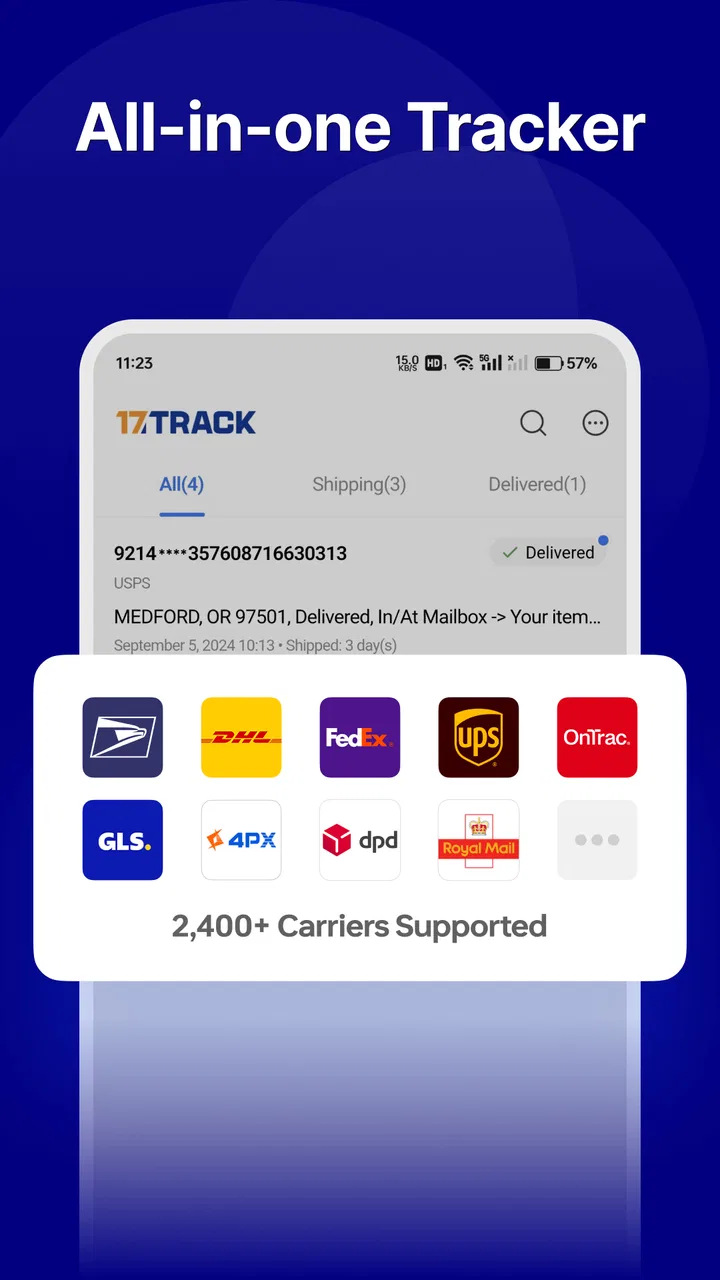
17TRACK Package Tracker supports over 500 carriers worldwide. This includes major international services like UPS, FedEx, and DHL, as well as numerous regional and local couriers. The comprehensive coverage ensures that you can track almost any package, no matter where it’s coming from or going to.
03Can I track multiple packages at the same time with 17TRACK?
Yes, 17TRACK allows users to track multiple packages simultaneously. You can enter several tracking numbers at once, and the app will provide updates for each package. This feature is particularly useful for frequent online shoppers and business users who need to manage multiple shipments.
04Does 17TRACK provide real-time tracking updates?
17TRACK offers real-time tracking updates as long as the carrier provides the information. The app syncs with the carrier’s tracking system to provide the latest status of your packages. However, the frequency and detail of updates can vary depending on the specific carrier’s policies.
05Is there a cost associated with using 17TRACK?
17TRACK Package Tracker is free to download and use for basic tracking features. However, there may be premium options available for users who seek advanced features, such as ad-free experience or additional tracking capabilities. Always check the app’s latest pricing details on the official app store.
Pros
- User-friendly interface for easy navigation.
- Supports tracking for multiple carriers worldwide.
- Push notifications for tracking updates.
- Customizable delivery alerts and reminders.
- Free to use with optional premium features.
Cons
- Occasional delays in tracking updates.
- Advertisements can be intrusive at times.
- Limited offline functionality.
- Some features require a premium subscription.
- May not support all local carriers.

17TRACK Package Tracker
Gallery